

Frequently Asked Questions
Everything homeowners here actually ask us — what it costs, how it looks in daylight, what happens when something breaks, and how to get the app to do what you want. Tap any question to open it. If yours is not here, call us on 352-781-0569.
No questions match that search. Try a different word, or call us on 352-781-0569.
Before you buy
How much does Trimlight cost?
It depends on your home. Price comes down to the length of the run, how many elevations you want lit, and the channel spacing that suits your roofline. That is why we do a free demo first — we measure your home, show you the system running on it, and give you an exact price with no obligation.
Can I install it myself?
We would not recommend it. Trimlight's lifetime product warranty applies to systems professionally installed by an authorized dealer — a self-installed system is not covered. Given the warranty is the main reason to choose Trimlight over cheaper lighting, that is a lot to give up.
Which areas do you serve?
The Villages, Lady Lake, Wildwood, Fruitland Park, Summerfield, Oxford and Leesburg. If you are just outside that, call us anyway on 352-781-0569 and we will tell you honestly whether we can get to you.
Are you licensed?
Yes. Village Trimlight, LLC holds Florida Electrical License number ES12002074. Ask any contractor for their license number before they work on your home — a legitimate one will give it to you without hesitating.
Do you touch my gutters or drip edge?
No. The channel is mounted beneath the soffit, and your gutters and drip edge are left alone. They do an important job moving water away from your home, and nothing about the installation should interfere with that.
What do they look like during the day?
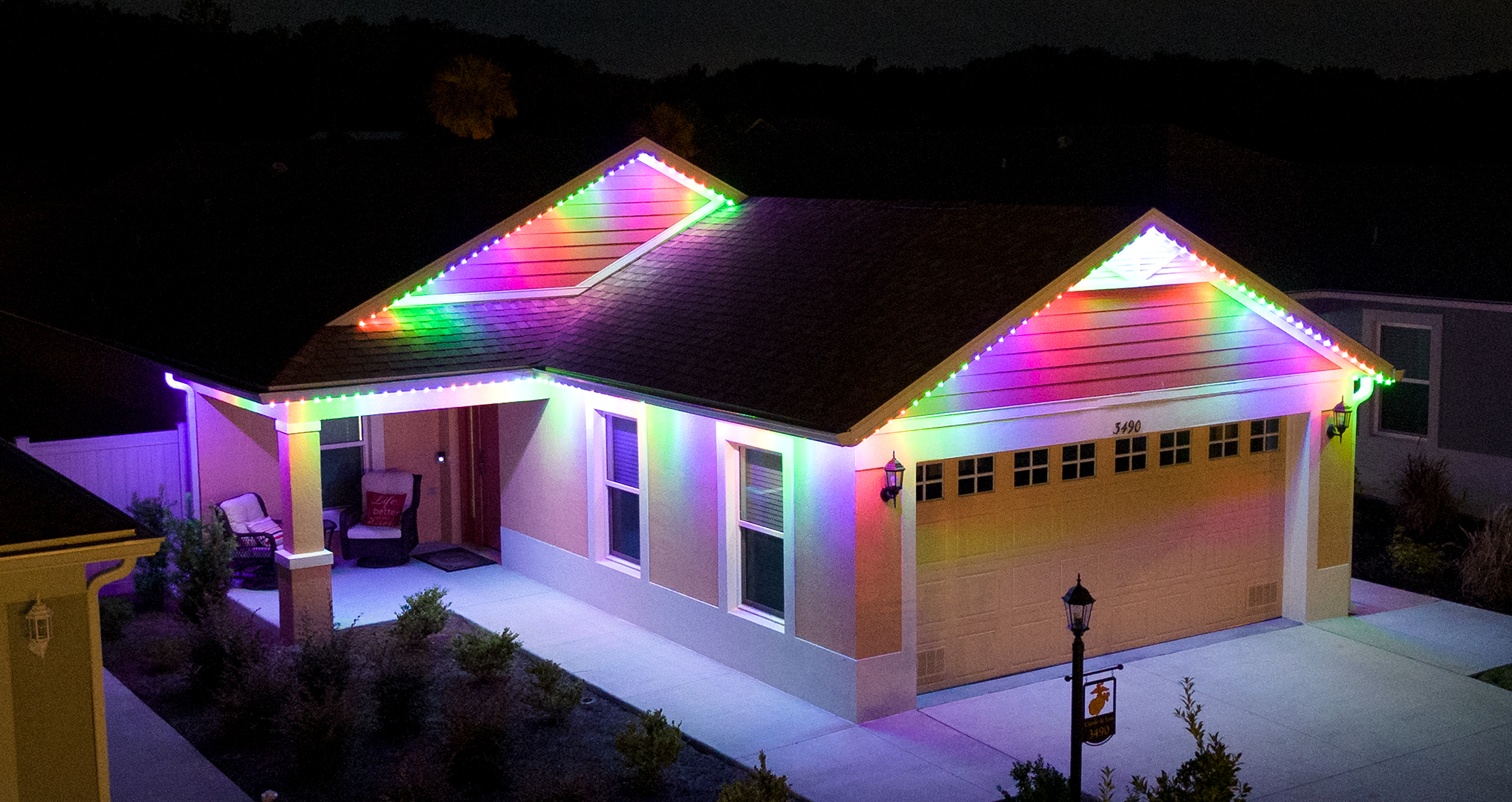
Close to invisible. The aluminum channel is matched to the color of your soffit and fascia, and it holds the lights and the wiring inside it. From the street in daylight most people do not notice it at all.
How is this different from having Christmas lights hung each year?
It goes up once. There is no ladder, no tangled strings, no annual install and removal fee, and nothing to store in the garage in January. And because it is programmable, the same system does Christmas, Halloween, the 4th of July, game days, and warm white on an ordinary Tuesday.
The system
How long does Trimlight last?
The LEDs are rated for 50,000 hours. Used at night as most people do, that works out to roughly 20 to 30 years.
If one light goes out, do they all go out?
Usually not, and this is the honest answer rather than the easy one. If the fault is in the RGB components of a single light, only that light is affected — it may change color or stop lighting. If the fault is in the data wire at that light, it can affect the lights after it in the run. Either way it is a quick fix under warranty, and it is nothing like an old series-wired string where one bulb takes out the whole strand.
Do the LEDs fade or go cloudy in the Florida sun?
This is a fair thing to ask here. Most exterior LEDs sit behind a plastic lens, and that lens is what yellows and clouds over years of sun. Trimlight's residential LEDs have no lens or covering — the diode shows directly out of the channel — so there is nothing to discolor.
How much electricity does it use?
Very little. It is a 12 volt DC system and each LED pixel draws about 0.6 watts. A typical home's whole system uses less power than one or two ordinary light bulbs, and roughly a tenth of what incandescent holiday lights would draw.
Where does the controller box go?
Usually on an interior garage wall, close to the first light, or under a carport. It plugs into a standard outlet — no special wiring needed.
What channel spacing should I choose?
The channel holds LED pixels at 6, 9 or 12 inch spacing. 9 inch is the most popular for front elevations. 6 inch is best for pool cages and lanais, where the runs are closer to the eye and tighter spacing looks better. We will recommend what suits your home at the demo.
Will the channel match my house?
The channel color can be closely matched, and often matched exactly, to your existing soffit and fascia. That matching is what makes the system disappear in daylight.
Will the lights be visible from an angle, or only head on?
The bulbs sit about 3/8 of an inch below the channel rather than flush inside it, so the light carries from more angles than puck or rectangle shaped bulbs that are recessed.
Can I take the system with me if I move?
No. Trimlight is designed as a permanent fixture, and your channel is ordered to match the color, style and exact footage of your current home, so it would not fit another house. Think of it as an improvement to the property rather than something you take with you.
Can you do my lanai or pool cage?
Yes, and it is one of the things we are asked for most here. Screen enclosures use the tighter 6 inch spacing. See our lanai lighting page for what that looks like.
Using the app
Does the app work on iPhone and Android?
Both. It also runs on most Mac computers, since those run apps too. It will not work on a Windows PC — Trimlight is app driven rather than desktop software.
Can I control the lights when I am away from home?
Yes, from anywhere you have phone service. You can also set the calendar ahead of time so the house lights itself while you are travelling — useful over the holidays or if you go north for the summer.
How many colors can I show at once?
Up to 30 different colors in a single pattern, with up to 90 lights of any one color. So a pattern of 90 red, 15 orange, 5 white and so on is entirely possible.
How many patterns can I save?
Up to 60. If you hit the limit the app will tell you, and you can delete old ones from the pattern list.
Is there a warm white setting?
Yes, there is a warm white preset on the custom color palette, and you can create your own white shades as well. Step outside and look at it on the house while you adjust — white reads very differently on a screen than it does on a roofline.
Why does pure white look slightly blue?
Because on an RGB system white is made by mixing red, green and blue, and that mix can carry a blue cast. Some people see it, some never do. Look at it from the sidewalk or the street first, since it reads differently up close.
If you want to take the blue out: go to custom color, enter 255 in each of the R, G and B boxes, then slowly reduce the blue number until the white looks right to you. Our RGB codes page has warm white, soft white, candlelight and cool white values you can enter directly.
How do I create a custom color?
On the color palette screen, press and hold any color circle outside the gray line box. A window opens where you can drag through the color spectrum or type in RGB values. Tap OK and that color is saved into the circle you chose.
Can I run a daily timer and a holiday event on the same day?
Yes, as long as they do not overlap. For example, set a calendar event for a holiday from 7pm to 11pm, then a daily timer from 11:01pm onward. Overlapping the two is what causes trouble.
How do I rename or delete a saved pattern?
Open the app, press enter, then tap the clock icon at the bottom right for the list of your patterns. Swipe left on any pattern and you will get the option to rename or delete it.
Can I connect Trimlight to my home Wi-Fi?
Yes, the system can pair to your home network. We cannot guarantee it in every case, because a lot depends on things outside our control — your router or modem, firewall settings, distance, walls, and interference from other devices.
For the EDGE system, see our Wi-Fi setup walkthrough.
What does the "pair new device" button do?
It starts the process of pairing your Trimlight controller to your home network. Same caveat as above — it usually works, but your network equipment has the final say.
Service & warranty
What happens if a light goes out?
Call us and we will replace it. Trimlight carries a lifetime product warranty, so the faulty part is covered. Depending on where you are in the labor warranty cycle there may be a service charge for the visit, and we will tell you that up front rather than after.
How does the lifetime product warranty work?
It covers the components of your Trimlight system for the life of those components, when the system is used as intended and was professionally installed. You deal with us directly — you do not chase a manufacturer.
Does it need any maintenance?
No. There is nothing to take down, store, or service seasonally. If something does fail, that is what the warranty and a phone call are for.
How do I do a soft reset?
Find the white Trimlight controller and unplug it for one full minute, then plug it back in. You can also cut power by pulling out the green cube next to the blue or green light for a minute. This clears error codes without deleting your saved patterns or timers, and it fixes most odd behaviour.
If the power goes out, do I lose my patterns and timers?
No. The controller has a built in battery, so your saved programs and timers survive a power cut — worth knowing in a Florida summer. We still recommend leaving the controller plugged in at all times except when you are deliberately resetting it.
Something is wrong and none of this fixed it.
Call us on 352-781-0569 or use the request service form. We installed it, so we are the ones who sort it out.
Still have a question?
If it is not answered here, call us. We would rather spend five minutes on the phone than have you guessing — and if Trimlight is not right for your home, we will tell you that too.
Book a free demo